
Closing the Feedback Loop:
Designing In-Context Teacher Feedback in WeVideo
Industry: SaaS, EdTech, B2B, Enterprise
Platform: Responsive Web
Role: Product Designer, User Researcher
Team: 1 PM, 3 Engineers
Timeline: 1 month
Overview
In classrooms, feedback is an important part of the learning cycle, but in WeVideo video-based assignments, teachers and students were coming up with workarounds and losing time and opportunities for improvement.
As a Senior Product Designer, I led the design of an in-context feedback system that enabled teachers to give precise, timely guidance directly within student video projects that transformed feedback from an afterthought into a core part of the learning experience.
Problems
Feedback was captured across multiple tools (verbal notes, LMS, Google Docs, etc).
Teacher comments were usually time-specific to the video
This pointed out that feedback was not embedded in the creative process.
Opportunity
Reimagine feedback as continuous, contextual, and actionable.
Just like in a classroom setting, integrate feedback directly into the editing workflow as part of the natural learning process:
Tie feedback to specific moments in time
Allow iterations before final submission
Reduce friction for both teachers and students
My Role
Led end-to-end design of the teacher feedback experience
Defined product strategy, requirements, and feasibility with PM and Engineering
Aligned feedback system with broader workflows
Key Design Decisions
1. Timestamped, In-Video Commenting
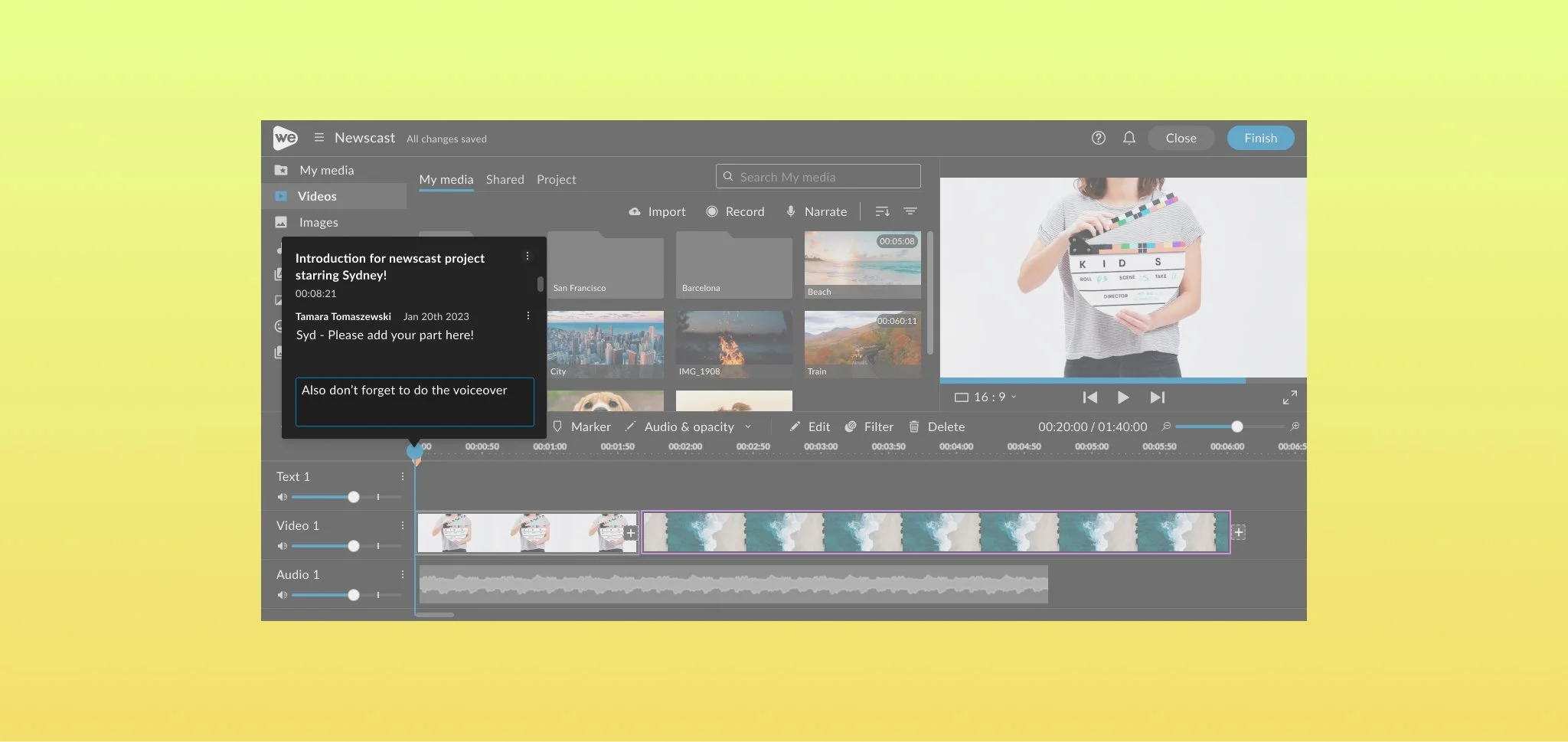
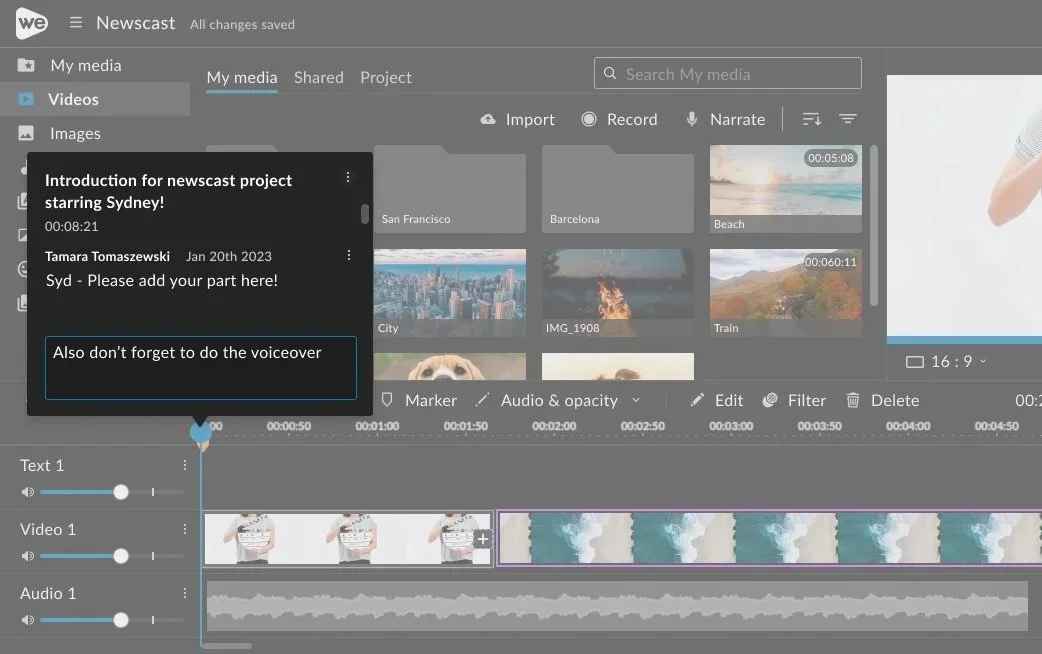
Designed a system where teachers can leave comments directly on the video timeline:
Comments anchored to exact timestamps
Visual markers on the timeline
Click-to-jump playback for context
Make feedback specific, actionable, and easy to apply
2. Feedback as Part of the Workflow (Not the End)
Enabled commenting on in-progress projects
Designed states for draft vs submitted work
Supported iterative improvement cycles
Shift learning from submission then evaluation to creation to feedback to iteration
3. Streamlining
Streamlined commenting interactions
Reduced need for external tools
Centralized feedback within the platform
This matters because:
Makes high-quality feedback scalable across classrooms
Final Design
Impact
Faster feedback loops between teachers and students
Increased student iteration before submission
Higher quality final projects
Reduced teacher friction in giving detailed feedback
Stronger engagement through interactive learning
Reflection
The most impactful shift wasn’t adding comments—it was redefining feedback as part of the experience, not something that happens after it.
By embedding feedback directly into the act of creation, we moved closer to how learning actually works: iterative, contextual, and human.